1. Go to Settings and select Manage User.
2. Click the Create User button.
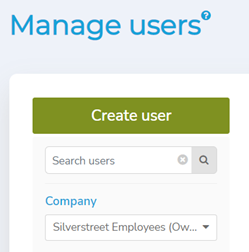
3. Enter the following user information:
• Email
Key-in the user’s email addresses. (eg. harrypotter@silverstreet.com)
• First name
Key-in user’s First name. (e.g., Harry)
• Last name
Key-in user’s Last name. (e.g., Potter)
• Language
The default language is English. You may click the drop-down to select preferred language.
• Timezone
Default timezone will be the same as account creator.
• Enabled
Click Yes to activate the user or click No to deactivate the user.

Comments
0 comments
Please sign in to leave a comment.